


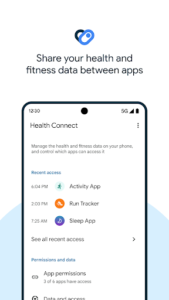
Health Connect offers a centralized approach to managing your personal health and fitness data across various apps. It enables you to share information seamlessly between your preferred health, fitness, and wellbeing applications, such as those tracking activity, sleep, nutrition, or vital signs. A key aspect of this app is its focus on privacy, providing simple controls to determine exactly what data you share and with which applications, while keeping your information stored directly on your device.
Seamless Data Sharing Across Apps
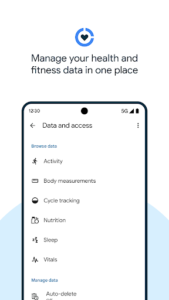
The app allows users to share data collected by various health, fitness, and wellbeing applications. This integration means that information related to areas like activity levels, sleep patterns, nutritional intake, or vital signs can be exchanged between different services. By enabling this data flow, you can gain a more comprehensive understanding of your overall health, as insights from one app can inform or complement data from another.
On-Device Data Management
Health Connect serves as a central repository for your health and fitness data. All information from your connected apps is stored directly on your device, ensuring it remains offline and accessible in one consolidated location. This local storage approach simplifies the management of your personal health metrics gathered from various sources.
Controlling Your Data Privacy
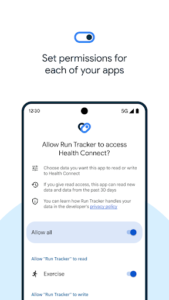
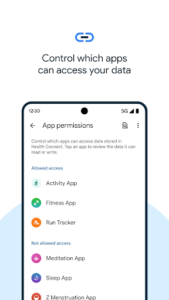
A core function of the app is providing clear control over your personal data. Before any new application can access your health information, you are prompted to review and select precisely what data you wish to share. Furthermore, if you decide to change your sharing preferences, or if you want to see which apps have recently accessed your data, these privacy settings can be updated and reviewed within Health Connect itself with minimal effort.
Accessing Health Connect
Once the app is installed, you can access its features and settings through two primary methods. One way is to navigate through your device’s main settings menu by going to Settings > Apps > Health Connect. Alternatively, for quicker access, it can also be found directly within your Quick Settings menu.








Write a review